

Adaptive Threshold
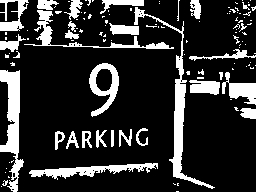
The Adaptive Threshold module is used in uneven lighting conditions when you need to segment a lighter foreground object from its background. In many lighting situations shadows or dimming of light cause thresholding problems as traditional thresholding considers the entire image brightness. Adaptive Thresholding will perform binary thresholding (i.e. it creates a black and white image) by analyzing each pixel with respect to its local neighborhood. This localization allows each pixel to be considered in a more adaptive environment.The algorithm will consider each pixel one at a time, calculate the mean of the local neighborhood 'window size' (x-windowSize/2, y-windowSize/2, x+windowSize/2, y+windowSize/2) and thresholds the current pixel to white if the difference between the calculated mean and the current pixel value is lower than the 'mean offset'.
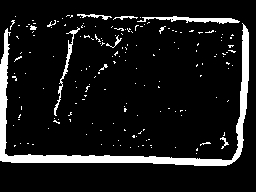
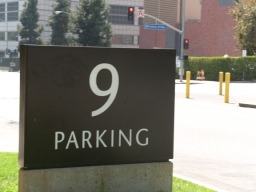
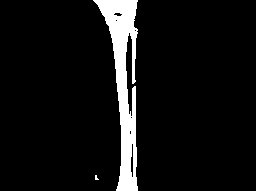
The example below shows an image from our line following tutorial. In this image the sides of the line image are dimmed due to uneven lighting. Adaptive Thresholding can solve this problem as long as the neighborhood considered (the pixel window) is large enough.
Interface
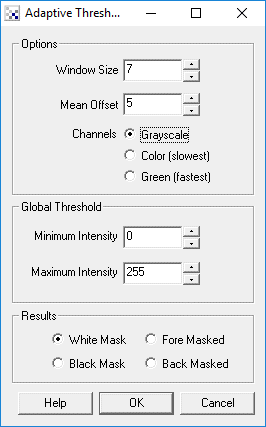
Instructions
1. Window Size - Specify a window size large enough to cause a good seperation between background and foreground object.
2. Mean Offset - Specify how much the current pixel should differ from the mean in order to signal as 'on'. This helps to ensure stability of the white pixels by ensuring that they white pixels are higher than the mean by X amount. A low offset value will cause some pixels to vibrate between black and white if they are near the intensity edge.
3. Global Threshold - As the adaptive threshold technique is a local technique ( i.e. it resolves the intensity levels within a particular area of the image) it can cause very low intensity areas to become white and very high intensity areas to become black based on the amount of texture with that area. Using the global threshold values you can specify that really dark or really white areas are ALWAYS dark or light respectively. This helps to reduce the noise caused by the local analysis of un textured light or dark areas. This is functionality similar to the Threshold module.
4. Results - Select how the results should be represented
White Mask - values above local mean are white, below are black
Black Mask - values above local mean are black, below are white
Fore Masked - values above local mean retain original value, below are black
Back Masked - value below local mean retain original value, above are white
5. Train button - Select the Train button to open an interface where you can specify the object to threshold to and have the module parameters be updated to achieve that goal. See the Label Object documentation for more information.
Example
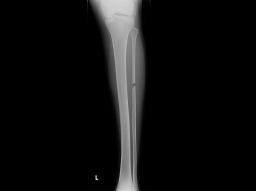
| Source | Adaptive Threshold |
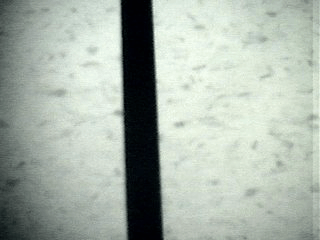 | 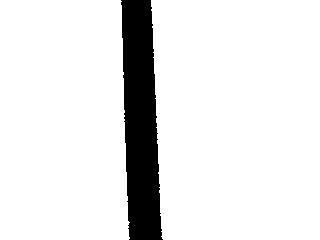 |
 |  |
 |  |
 |  |
See Also
Threshold
Auto_Threshold
For more information
HIPR2 - Adaptive Thresholding
| New Post |
| Adaptive_Threshold Related Forum Posts | Last post | Posts | Views |

 tracking
Hi All, Just getting started in computer vision this week. I have had some successes and some failures. This is on... |
13 year | 6 | 4381 |
 RoboRealm
I have a simple application of detecting non-white contaminants on white fabric. Cognex and banner on some of their models have... |
14 year | 4 | 4159 |
 change the color of only the black numbers in white
Please find me a solution to alter the black digits into white color. This is necessary for the "s... |
16 year | 5 | 4933 |
 Iris recognition
I want to detect the inner circle i.e. the pupil boundary and the iris boundary with the center and radius of the 2 circles. Can... |
17 year | 2 | 5416 |