

Skeleton
The Skeleton module extracts the skeleton of an image. The skeleton of an image is the medial axis or the thinnest representation of the current image. The skeleton can be used as a basic shape analysis tool.
Interface
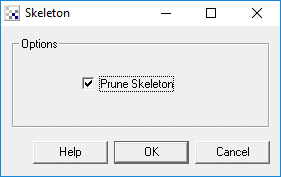
Instructions
1. Prune - select if you want the created skeleton to be pruned. Pruning will remove those parts of the skeleton which are created due to thick objects.
Example
Source Image

Skeleton Image

Source Image

Skeleton Image
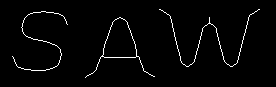
Pruned Skeleton Image
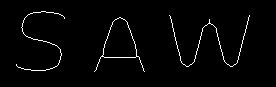
Note that the skeleton of an image is very sensative to image noise. You may need to erode by 2 before creating an image skeleton to help remove any noise.
See Also
Border
Outline
Sobel
| New Post |
| Skeleton Related Forum Posts | Last post | Posts | Views |
| None |