

Reduce Colors
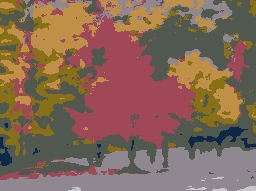
The Reduce Colors module is functionally similar to the Flood Fill module which reduces the number of colors in an image in an effort to create meaningful blobs. Meaningful blobs are pixels grouped together that share a common color that hopefully make up a representative grouping of an object to be analyzed.The Reduce Colors differs from the Flood Fill in that it uses a faster blob creation routine by using enough colors to represent the global color space used given the tolerance. Flood Fill will use the local pixel colors to determine blob boundaries whereas Reduce Colors takes into account all colors used in the image.
Interface
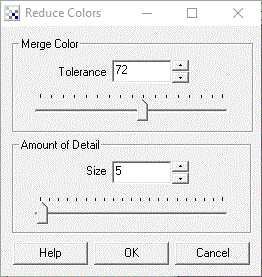
Instructions
1. Merge Color - Select the tolerance level which will reduce or increase the number of colors used to represent the image. Increasing the tolerance will force fewer colors, whereas decreasing the tolerance will increase the number of colors
2. Detail Size - Often when creating blobs a little blur to remove noise is desired such that created blobs are large enough to be representative of an area of the image. If you find that much of your image contains single pixels increase the Detail Size to remove those individual pixels.
Example
| Source | Reduce_Colors |
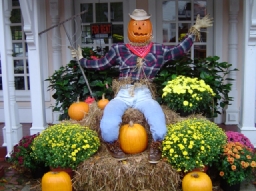 | 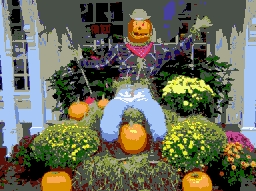 |
 |  |
See Also
Flood Fill
Segment Colors
| New Post |
| Reduce_Colors Related Forum Posts | Last post | Posts | Views |
| None |