

Color Depth
To reduce the number of colors in the image select the appropriate bit count in the color depth interface. Doing so will reduce the number of bits used for the RGB triad for color representation and will effectively reduce the image to fewer colors.Note the color selection is not optimized and simply performed as a bitwise right shift of the RGB colors.
On selections of uneven number of bits the green is provided more bits.
If 21 bits is selected
R = R>>1
G = G>>1
B = B>>1
Interface
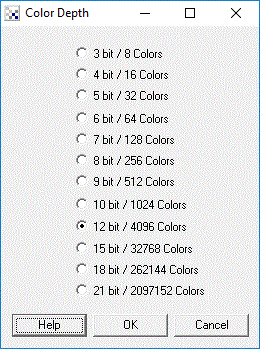
Instructions
1. Chose the appropriate number of colors to reduce the current image to.
Example
| Source Image | Reduced to 8 colors |
 |  |
 Download the robofile used to generate this example.
See Also
Flood Fill
Color Depth
RGB Channel
RGB Filter
Threshold
Auto Threshold
| New Post |
| Color_Depth Related Forum Posts | Last post | Posts | Views |
| None |