

Grayscale
The Grayscale module converts a color RGB image to grayscale values using the following formula techniques. Note that R,G,B represent the current pixels colors values in RGB color space.
Method 1
Method 2
Method 3
the 'pixel' value is then assigned to the Red, Green and Blue channels to create the final image.
Note that each technique will change the way colors are converted to grayscale which will effect the relative intensities of each color. For example, method #1 makes Red and Blue seem like the same grayscale color whereas method #2 does not.
Interface
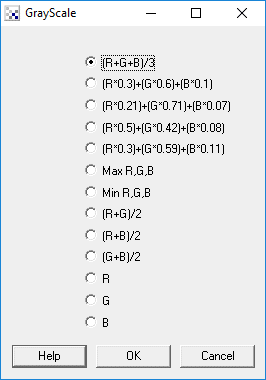
Instructions
1. Specify which technique you would like to use in converting your image to grayscale by selecting the appropriate radio button.
The first 5 choices are different ways of converting a color image into a grayscale image. The different calculations will use different ratios of the color channels in order to calculate a grayscale intensity. You can select each one to view the subtle differences between the calculations to choose which one best highlights the quality that you are after.
The next two choices are based on selecting a specific color channel to represent the grayscale value. The max choice will use the maximum RGB channel as the grayscale value while the minimum will select the lowest (typically 0).
The remaining choices use two or less of the color channels as the grayscale value and can be reviewed to determine which combination works best. In many cases, a camera may not be as responsive to specific color channel equally so using a combination of channels can produce a sharper less noisy image. As this depends on each camera, its best to review all techniques by selecting them one by one in order to compare the resulting image quality.
Example
| Source Image | Method #1 |
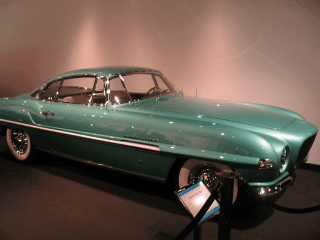 | 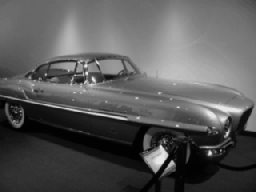 |
| Method #2 | Method #3 |
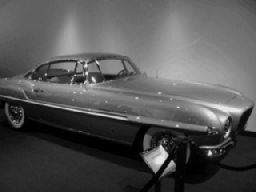 |  |
See Also
Equalize
RGB Math
Normalize Color
| New Post |
| Grayscale Related Forum Posts | Last post | Posts | Views |
|
Error with VBScript
I am getting "error (3): type mismatch" error in VBScript which running the VB program within RoboRealm for a very simple code. ... |
9 year | 2 | 2211 |