

Rotate Image
Rotate allows you to rotate the image by 90, 180, 270 degrees or mirror the image horizontally or vertically. Rotating the image is useful if the hardware does not permit the correct side mounting orientation.
Interface
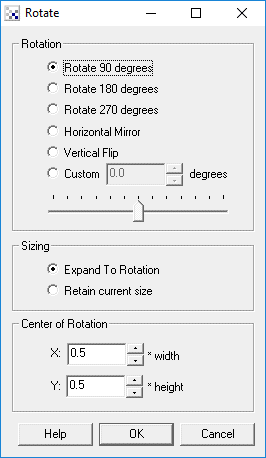
Instructions
1. Rotation - To rotate, mirror or flip the image select the appropriate radio button
2. Rotation - To rotate using a custom degree click on the custom radio button and type in the degrees that you want to rotate the image by. Note that the range goes from -360 to 360 in degrees.
3. Sizing - The default rotation will enlarge the image when rotated or adjust the width, height to the new rotated image. There are situations when this is not desired and the original size is needed. If this is the case select the "Retain current size" radio button to keep the image the same size even after rotation. Note that when this is enabled parts of the image that will not contain pixel data will be set to black.
4. Center of Rotation - Specify where the center of rotation in the image is, i.e. at what point should the image be rotated around. Typically this is the center of the image which is the default defined by 0.5 * width and 0.5 * height or width/2 and height/2. Note that these numbers range from 0.0 to 1.0 as they are multiplied by the current width and height to define the center of rotation point.
Example
| Source | Rotate 90 |
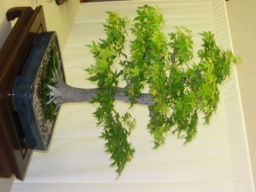 | 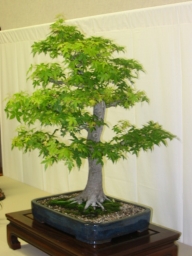 |
See Also
Shift
| New Post |
| Rotate Related Forum Posts | Last post | Posts | Views |
|
Rotating Image with a variable
I'd like to be able to rotate the image Roborealm receives from by camera by an angle stored in a variable that is continually... |
17 year | 2 | 4489 |

 using rotate and translate module to stitch 4 camares
I am trying to stitch a panaroma by using four cameras fixed on ceiling. I used translate and rotate module.\\ 17 year |
4 |
4636 |
|