

HSV Channel
The HSV channel module converts the image into a hue, saturation, and value/lightness components instead of the RGB representation. The Hue is the color of the image, the Saturation is the pureness of the hue color, and the value is the strength of the hue. By selecting the appropriate radio button you can see the appropriate channel without the other two components similar to the RGB and YUV channel module. Note this module is very similar to the HLS module with the only difference being the luminance channel.
Interface
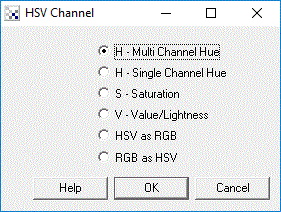
Instructions
1. Select the appropriate channel
- Multi Channel Hue - image hue approximated as maximum RGB channels
- Single Channel Hue - image hue represented as grayscale
- Saturation - image saturation represented as grayscale amount
- Value - essentially the grayscale representation of the image
- HSV as RGB - converts from RGB to HSV by placing the HSV components placed into each of the RGB channels
- RGB as HSV - converts from HSV to RGB by assuming each of the RGB channels contains the HSV channels
Example
| Source Image | RGB as HSV |
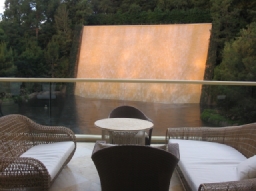 | 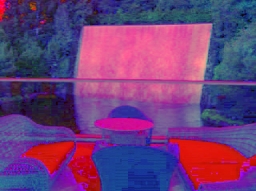 |
See Also
RGB Filter
YCbCr Channel
For more information
Color Conversion Algorithms
Wikipedia - HSV color space
| New Post |
| HSV_Channel Related Forum Posts | Last post | Posts | Views |
 HSV and HLS
Will in the version 2.76.0,the module of HSV_Channel is the same as HLS_Channel , beside the title.... |
11 year | 4 | 3558 |