

Deinterlace
The Deinterlace module will un-interlace an image produced by a camera or video source that has weaved the even and odd rows of two images together. This weaving was done to reduce the overall bandwidth required for the transmission of images but causes "jaggies" in images when reproduced on a computer for analysis. Note that this only valid for moving images as an interlaced image is in fact two images spliced together. If you are using such a video source for a static scene or one where the camera does not move then interlacing will not be an issue as the current and next frame will be so similar that the interlacing will not be noticeable.For those video sources that are filming rapid movements the deinterface module will help to reduce or eliminate those artifacts. Due to the interlacing being two images, each image only has half the number of rows that it normally does. This causes resolution issues when trying to compensate for interlacing by separating them. The missing row in each image needs to be artificially created in order for a "reasonable" approximation of the original frame to be created. Note that if you have the possibility to not use an interlaced video source we recommend you attempt that route as the resolution and information content of those images are always superior to their interlaced version (about 2x).
Interface
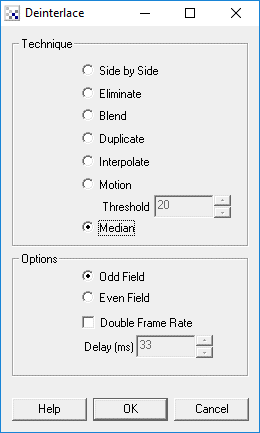
Instructions
1. Technique - Select the Appropriate Technique to use to eliminate the jaggies.
2. Options - Select which row field you want to use. Odd specifies that only the odd row is deinterlaced. Even specifies that the even row is used. Double Frame rate means that two frames are extracted from a single interlaced image. Each frame is then added as a new frame into the pipeline. Thus you can increase the frame rate of the video by selecting this option. Please note that while the frame rate will be increased the actual image content is 50% of what reality is.
Example
| Source | Deinterlaced |
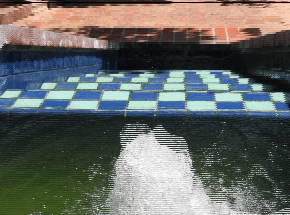 | 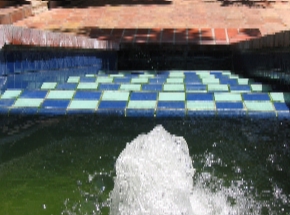 |
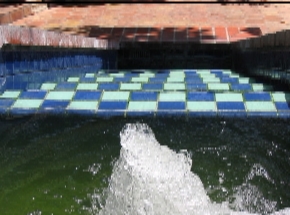 |
| New Post |
| Deinterlace Related Forum Posts | Last post | Posts | Views |
| None |