

Difference of Box (DOB)
The Difference of Box module is a filter that identifies edges. The DOB filter is similar to the LOG and DOG filters in that it is a two stage edge detection process.The DOB performs edge detection by performing a mean blur on an image at a specified window size. The resulting image is a blurred version of the source image. The module then performs another blur with a smaller window size that blurs the image less than previously. The final image is then calculated by replacing each pixel with the difference between the two blurred images and detecting when the values cross zero, i.e. negative becomes positive and vice versa. The resulting zero crossings will be focused at edges or areas of pixels that have some variation in their surrounding neighborhood.
Interface
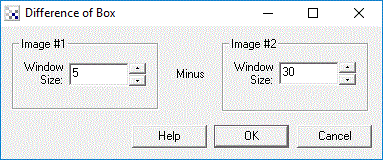
Instructions
1. Specify the window size of the first blur to be performed. The window size is how large a mean filter is applied to the image.
2. Specify the window size of the second blur to be performed. Note that the window size should typically be larger then the first window size in order to correctly detect edges.
Example
| Source | DOB |
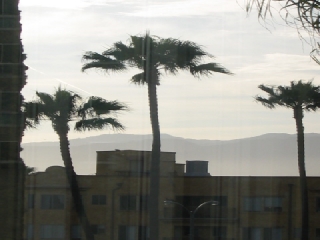 | 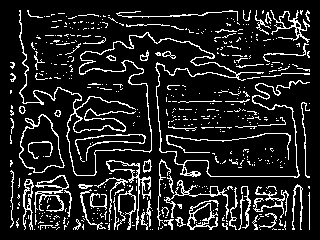 |
See Also
Difference of Gaussian
LOG
Mean Filter
| New Post |
| DOB Related Forum Posts | Last post | Posts | Views |
| None |