|
Serial receiving
Ghyorn from France [6 posts] |
16 year
|
Hello,
I dont understand how to put all incoming bytes into a variable...
In the documentation exemble I says thats the incoming byte is stored in the variables \1024:\667\n, but where is that specified ?
I just want tu put incoming bytes in a variable... But I don't manage to do that...
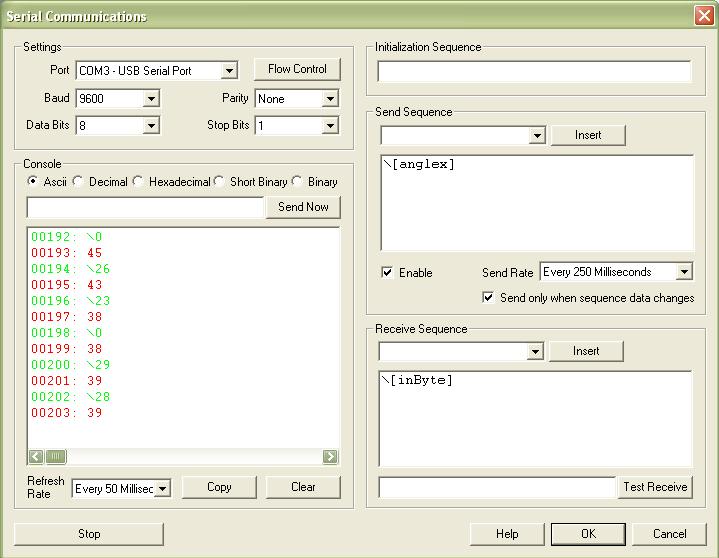
I tried to just write [inByte] in "receive sequence", but it doesn't work. (the variable is created in a VBScript)
PS : Sorry for the bad english
|
|
|
|
Ghyorn from France [6 posts] |
16 year
|
The problem is that i receive data, but it dont go in the variable...
Ghyorn.

|
|
|
|
Ghyorn from France [6 posts] |
16 year
|
In fact I want my arduino to "ask" the computer for the variables he needs, then I will be able to do a complete tutorial about arduino/roborealm interfacing.
PS : Sorry for the several posts :/
|
|
 |
Paul D from Canada [45 posts] |
16 year
|
Look at the red data in the left box which shows the readings from the serial port.
Like the example, if part of the received data is STX and ETX you can filter it out in the receive sequence.
For my barcode scanner I use:
\3\2[V_SERIAL_IN]<cr>
When I put [V_VARIABLE_NAME] in the receive sequence the whole string is read into the variable. Generally there is a <cr> at the end of the data from most devices I have used.
Hope it helps.
|
|
|
|
Ghyorn from France [6 posts] |
16 year
|
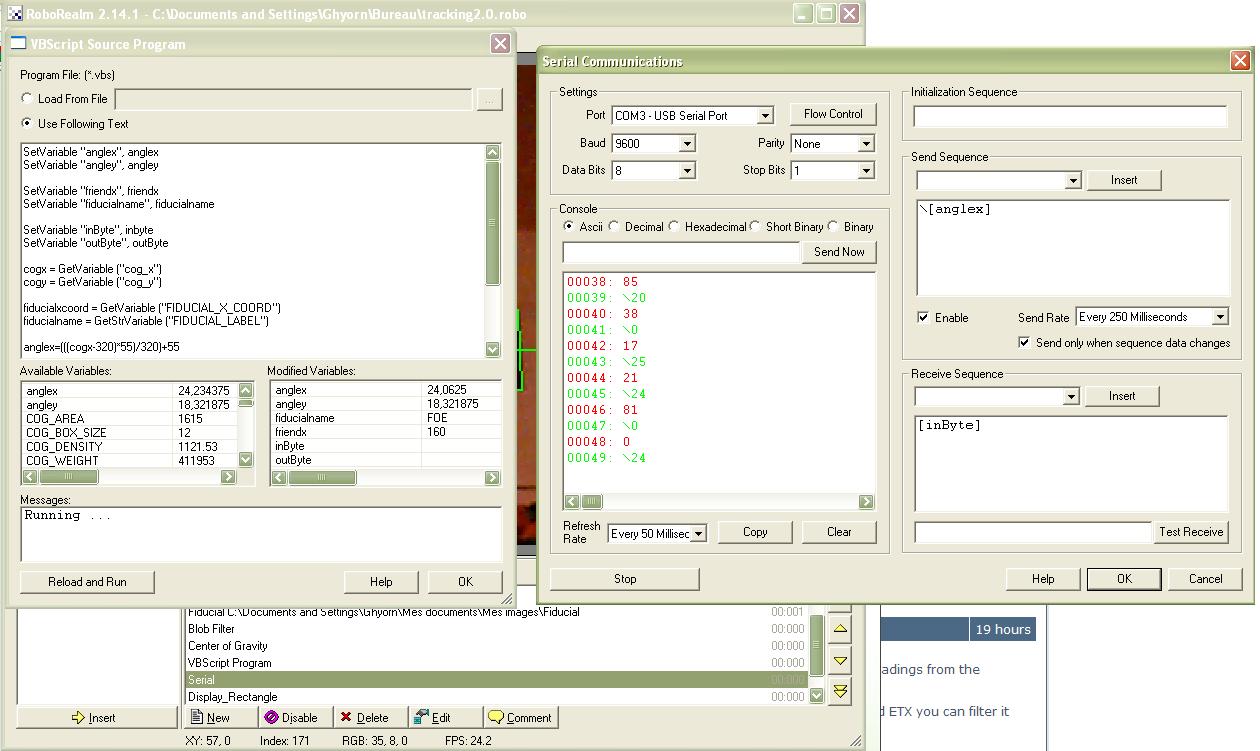
Thank for reply but look at that ! The variable is empty, but there is incoming bytes !

|
|
|
|
Anonymous |
16 year
|
Ghyorn,
That seems right. Since you are requesting a byte you should be using
\[inbyte]
which will tell RR to read in a byte but the issue might be in your VBScript in that we see a SerVariable "inbyte", inbyte with inbyte not being initialized .. that would set it to "" (empty string). Try removing all modules except for the serial module and a watch variable module (placed after the serial module) and see if that byte appears or not.
If not, can you attach your robofile? Seems like there may be some inconsistencies elsewhere.
STeven.
|
|
|
|
Anonymous |
16 year
|
|
Thanks a lot but i will not be able to check thats before monday :S
|
|
|
|
Ghyorn from France [6 posts] |
16 year
|
|
That's okay I did that but the inByte variable have his value just for a very very short time, maybe because the VBScript program initialize the variable each time the program does a cycle ? Then the variable doesnt appear in the VBScript programm, because of the too short time ?
|
|
|
|
Ghyorn from France [6 posts] |
16 year
|
Yeaaaaah it wooorks =)
.robo :
-Serial receiving [inByte]
-VBScript program :
inByte = GetVariable ("inByte")
---program---
SetVariable "inByte", inByte
Then I have a stable value of inByte to use it in the program !
Thanks you a lot =)
|
|


 This Thread